AI Dating Profile Generator: What Works and What's Free
Short answer: no single button writes a good dating profile for you. A profile is three things — your photos, your bio and your prompt answers — and each one needs a different kind of help.
The good news is that most of it is free. Below is how to build all three in one sitting, which tools help with which part, and where AI is useful versus where it makes you sound like everyone else.
Full honesty up front: we sell AI dating photos. We also make the free tools mentioned here, and you can use every one of them without paying us anything.
The part AI is actually good at: photos
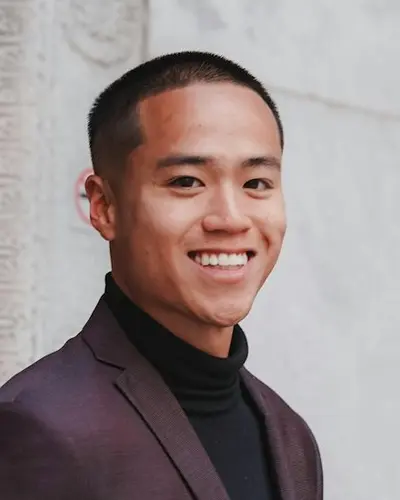
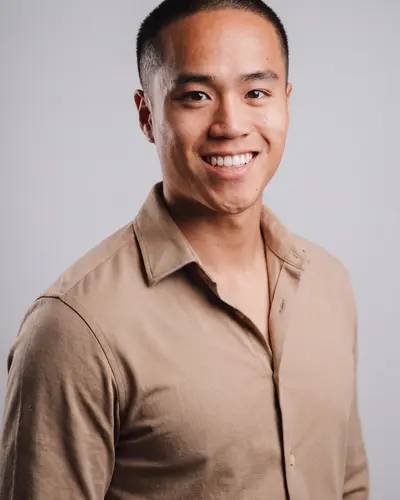
An example made with Headshotsly. One ordinary photo in, one natural photo out. Same face, better light, better setting.
What a dating profile generator can and can't do
Tools that promise to 'generate your whole profile' usually do one of two things. Some write a bio from a few answers. Others turn selfies into new photos. Very few do both well, and none of them know what makes you interesting.
That last part matters. The person reading your profile is looking for a real human with a real life. A tool can give you a clean photo and a first draft of words. You still have to make it sound like you.
So think of it as three small jobs, not one big one.
- Photos: the part people see first, and the part a tool can help with most
- Bio: a tool can give you a starting draft; you add the details only you know
- Prompts (on apps that use them): no tool beats a specific, true answer
Step 1: Photos (start here, it's the biggest win)
Most profiles fail at the photos, not the words. The usual problems: the newest photo is three years old, the best one is a group shot where nobody knows which one is you, or everything was taken in a dark room.
Start by checking what you already have. Our free Photo Rater scores a photo on light, warmth, clarity, background, framing and colour, right in your browser. Nothing is uploaded. If your photos score low on light and background, no bio will save them.
If you don't have a clear, recent photo of your face, that's where AI photos help. You upload one selfie and get photos of you in daylight, at a cafe, on a city walk or on a trail. Headshotsly's pack is 5 photos in 4K for $0.99, one time, and you can try one free photo first with a watermark.
- Aim for 4 to 6 photos: one clear face photo, one full-length, one doing something you actually do
- Keep your face the same as it is today; no photo that makes you look younger or different
- Mix a couple of AI photos with recent real ones, not a full set of AI photos
Step 2: Your bio (a draft is fine, a template is not)
Our Tinder Bio Generator gives you four bios from your job, your tone and up to three interests. It is not AI: the bios come from templates our team wrote, mixed with your answers in your browser. That's on purpose. It's fast, free and nothing you type is sent anywhere.
Use a generated bio as a skeleton, then swap in one specific detail. 'I like travel' is what everyone says. 'I've been to Lisbon twice and still can't order coffee in Portuguese' is a person.
Keep it short. Two to four lines is plenty on most apps. The photos did the introducing; the bio just gives someone an easy first message.
- One true, specific detail beats three general ones
- Give an easy opener: a question, a mild opinion, a small challenge
- Cut anything you'd be embarrassed to explain on a first date
Step 3: Prompts (the part no tool should write)
Some apps ask you to answer prompts like 'A perfect Sunday' or 'I'm looking for'. These are where your personality shows up, and where copied answers are easiest to spot.
We don't make a prompt tool, and we'd be a little suspicious of one that promised great answers. Here's a simple rule instead: answer with a small story, not a list. 'Farmers market, then a nap I'll deny taking' tells someone more than 'brunch, walks, Netflix'.
If you're stuck, write three answers fast, wait a day, and keep the one you still like.
Step 4: Put it in order and check for red flags
Order matters because most people look at your first photo before anything else. Our free Dating Photo Order tool scores several photos at once and suggests which one to put first, based on light, warmth, contrast, background, size and shape.
Then run your main photo through the Dating Photo Red Flag Checker. It runs seven quick checks (too dark, too bright, too small, wrong shape, heavy filters, busy background, flat contrast) and tells you what to fix.
None of these tools judge your looks. They measure the photo, not you. That's also why their advice is fixable in five minutes.
Where AI helps, and where it backfires
AI helps most with the boring, technical part: bad light, a messy room, only having old photos. It gives you a clean, current photo of your own face without booking a photographer.
It backfires when it's used to become someone else. A photo that makes you look different from how you look today sets up a bad first date. The same goes for a bio that sounds like a greeting card.
The profile that works is the one where the person who shows up is the person in the photos. AI can help you show that person clearly. It can't replace them.
Frequently Asked Questions
Related Pages
Start with the photos
Try one free AI dating photo from your own selfie. If it looks like you on a good day, the full pack is 5 photos in 4K for $0.99.