






Headshotsly

    AI Headshots for Teams

    Matching photos for your whole team. Each person sends one selfie from their phone. No photo day to plan.

    Example

    Event selfie, LinkedIn headshot

    A selfie taken at a busy event, with a blazer and gray studio picked.

    Result: A clean LinkedIn headshot. Same face and glasses.

    Original selfie: a man with glasses at a busy eventBefore
    AI example made from that selfie: the same man in a charcoal blazer on a gray backgroundExample

    Most team pages are a mix: one studio photo from years ago, one cropped wedding photo, one person with no photo at all.

    People look at your team page before they call you, hire you or sign with you. A mixed page makes a good team look less organized than it is.

    With Headshotsly, each person sends a selfie. You pick the outfit and background, and everyone comes back in the same style.

    For teams

    A look for each role. Everyone in a role matches.

    Your leaders don't have to look like your support team. You choose the outfit and background when you make each person's photos, so give each role its own look and keep to it.

    AI example made from that photo: the same man in a charcoal suit in an officeOriginal photo: a man in a white t-shirt against a gray wall

    Leadership

    Charcoal Suit · Modern Office

    AI example made from that photo: the same woman in a navy blazer in a bright roomOriginal photo: a young woman with curly hair, black and white photo

    Sales

    Navy Suit · Modern Office

    AI example made from that photo: the same man in a beige shirt in a bright officeOriginal photo: a man with glasses in a black suit

    Support

    Smart Casual · Modern Office

    AI examples of three different people, each made from the small photo in its corner. Same office background, outfit by role. Not in the app yet: saving a look per role so it fills in for you.

    What you do as the team owner

    Team Members

    Send Upload Invite

    Generate an upload link for Sales rep

    Send email invitation

    headshotsly.com/upload?token=…

    This link expires in 7 days.

    STEP 1

    Add people, send each one a link

    Type a name and email. We email them a link to upload a selfie from their phone. No account needed on their side. The link works for 7 days.


    Team Members

    1 of 4 people have headshots ready

    • Head of salesHeadshots Ready
    • Sales repPhotos Uploaded
    • Support repInvite Pending
    • Support leadInvite Expired

    STEP 2

    See who is done

    One card shows how many people have photos ready, who sent selfies, who hasn't yet, and whose link ran out.

    Team Members
    Support leadInvite Expired

    View Headshots

    Send Invite Again

    Generate Headshot

    STEP 3

    Nudge the rest

    Send the invite again from their row. They get a fresh link and the old one stops working. There are no automatic reminders yet, so this one is on you.

    Screens from the team dashboard, with example names. Then you make each person's photos from their selfies and share them, or build a group photo.

    Small Team: you plus up to 3 people. Professional: no limit on people.

    More Before/After Examples

    Examples made with Headshotsly. Each example was made from the photo next to it.

    Plaid shirt photo, navy suit headshot

    A photo in a plaid shirt, with a navy suit and a city background picked.

    Original photo: an older man in a plaid shirtBefore
    AI example made from that photo: the same man in a navy suit against a blurred backgroundExample

    Result: A headshot in a navy suit, city blurred behind. Same face and smile.

    Black and white photo, suit and tie headshot

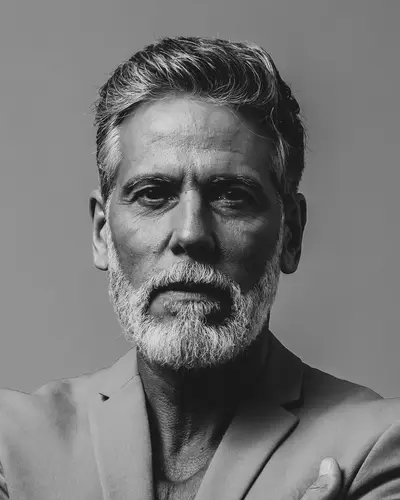
    A black and white photo of a man with a gray beard, with a dark suit, tie and law library picked.

    Original photo: an older man with a gray beard, black and white photoBefore
    AI example made from that photo: the same man in a navy suit and tie in front of law booksExample

    Result: A color headshot in a navy suit and tie in front of law books. Same face and beard.

    How it works for a team

    You make a team account and pick what kind of team you are. The outfits and backgrounds you see follow that pick, so a law firm sees suits and a law office, and a dental practice sees scrubs, white coats and clinic backgrounds.

    You add each person with a name and email. We email them a link to upload a selfie from their phone. They don't need an account, and the link works for 7 days.

    When their selfie is in, you choose the outfit and background and make their photos. Each photo uses one credit. Then you share the photos with them, or put people together in a group photo.

    • One selfie per person is enough to start; up to 5 help the photos look more like them
    • A members page shows who is done, who sent a selfie and whose link ran out
    • If someone's link runs out, send the invite again from their row (there are no automatic reminders)

    One look for every kind of team

    Pick one background for everyone, then keep the outfit the same, or choose one outfit per role. The app does not save a look per role, so write your picks down and use them for each new person.

    • Office or sales team: Navy Suit or Blazer on Clean Gray or Modern Office
    • Law firm: Suit & Tie or Charcoal Suit in the Law Office
    • Real estate brokerage: Blazer in a Bright Home or on a light studio background
    • Dental practice or clinic: Navy Scrubs or a White Coat on Pure White or Light Blue

    What it costs

    For one person, the price is simple: 5 photos for $0.99, paid once. On a small team, each person can get their own pack from their own account. That is $0.99 per person for 5 photos. No plan needed.

    To invite people, see everyone in one place and make group photos, you need a team plan. Small Team covers you plus up to 3 people. Professional has no limit on people. Plan credits pay for everyone's photos. Current plan prices are on the pricing page.

    New people, same look

    When someone joins, add them on the members page and send their link. Use the same outfit and background you used for everyone else, and their photo will match the rest of the page.

    Use the same photos everywhere: your website's team page, LinkedIn, email signatures and online directories.

    Frequently Asked Questions

    Clear answers before you get started.

    Give Your Team One Look

    Start with your own photo, pick the look, then bring in the rest of the team.