




Headshotsly

    Clinic Headshots That Make Team Pages Look Professional

    Staff photos often come from different years and phones. Headshotsly helps you give providers and staff one matching look.

    Example

    Night photo, teal scrubs in a bright room

    A photo outdoors at night in a dark suit, with teal scrubs and a modern clinic picked.

    Result: A headshot in teal scrubs in a bright room. Same face.

    Original photo: a young man in a dark suit outdoors at nightBefore
    AI example made from that photo: the same man in teal scrubs in a bright roomExample

    Your team page is often where patients first see your staff.

    When photos come from different years and phones, the page looks mixed, even when the care is great.

    With Headshotsly, each person sends a selfie and you pick one outfit and background for everyone. New staff get the same look later.

    More Before/After Examples

    Examples made with Headshotsly. Each example was made from the photo next to it.

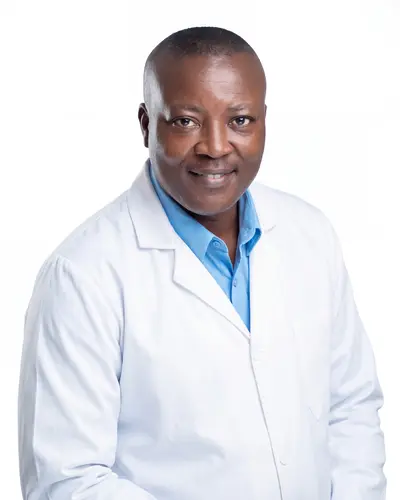
    Suit photo, white coat headshot

    A photo in a blue suit and striped tie, with a white coat and a white background picked.

    Original photo: a man in a blue suit and striped tieBefore
    AI example made from that photo: the same man in a white coat on a white backgroundExample

    Result: A studio headshot in a white coat. Same face and smile.

    Blue backdrop photo, navy scrubs headshot

    A photo in a gray sweater on a blue background, with navy scrubs and a teal background picked.

    Original photo: a man in a gray sweater on a blue backgroundBefore
    AI example made from that photo: the same man in navy scrubs on a teal backgroundExample

    Result: A headshot in navy scrubs on a teal background. Same face.

    Outdoor photo, scrubs headshot

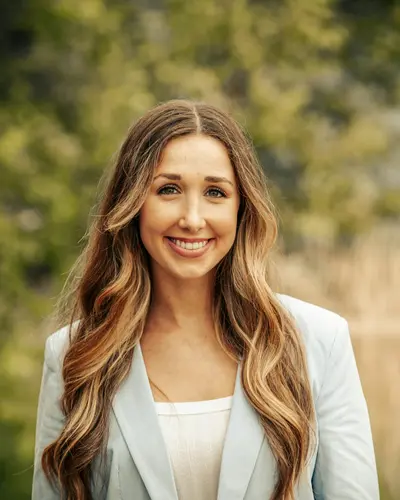
    A photo outdoors in a light blazer, with teal scrubs and a white background picked.

    Original photo: a woman with long wavy hair in a light blazer outdoorsBefore
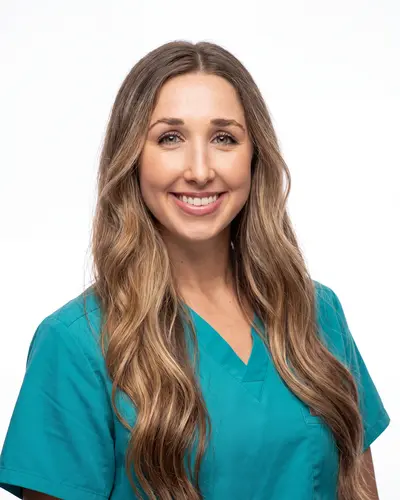
    AI example made from that photo: the same woman in teal scrubs on a white backgroundExample

    Result: A clean headshot in teal scrubs. Same face and hair.

    The problem clinics run into

    Photos are often collected from different years and devices, so profile cards look mismatched.

    Patients and referring doctors see that mix first.

    • Old provider photos
    • Different backgrounds and crops
    • Some staff with no photo at all

    How it works for a clinic

    Pick one look. For example: Navy Scrubs for nurses and a White Coat for doctors, all on Pure White or Light Blue.

    Start a team in your account and add each person by email. They get a link to upload a selfie from their phone. They don't need an account, and the link works for 7 days. You then make their photos in the look you picked. Each person needs one pack: $4.99 for 5 photos, paid once.

    • One background for everyone
    • An outfit per role if you want one
    • New staff get the same look later

    Where to use the photos

    You can use the same photos on website bios, provider listings, and recruiting pages.

    The same photo everywhere makes each person easy to recognize.

    • Team pages and provider bios
    • LinkedIn and job posts
    • Online directory listings

    Frequently Asked Questions

    Clear answers before you get started.

    Give Your Clinic One Look

    Start with your own photo, pick the look, then bring in the rest of the team.