Headshotsly

    Medical School Headshots That Look Application-Ready

    Some schools and interview platforms ask for a photo. Headshotsly makes a clean, current headshot from one selfie that you can use wherever one is asked for.

    Example

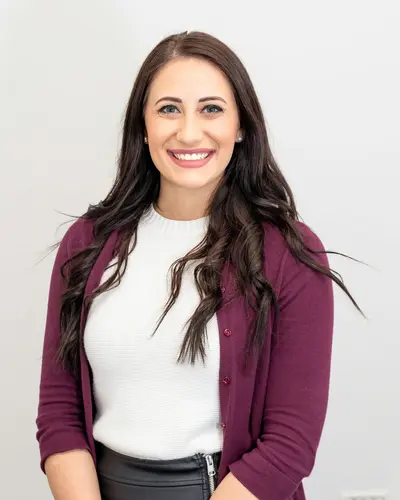
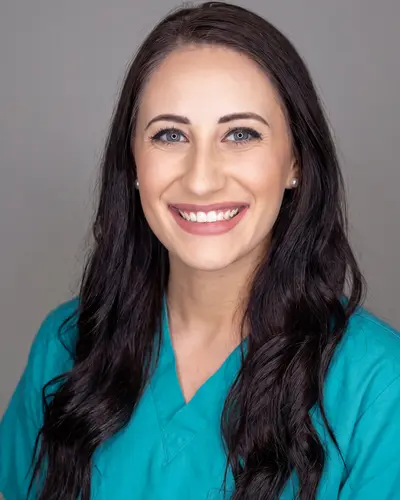
    Cardigan photo, teal scrubs headshot

    A photo in a maroon cardigan, with teal scrubs and a gray background picked.

    Result: A headshot in teal scrubs on a gray background. Same face and hair.

    Original photo: a woman with dark hair in a maroon cardiganBefore
    AI example made from that photo: the same woman in teal scrubs on a gray backgroundExample

    Your photo is a small part of the application, and not every school asks for one. Check what each application system and school wants.

    If you do add a photo, one clear, current photo used everywhere is simpler than a different crop on each portal.

    Headshotsly turns one selfie into a clean headshot you can reuse for secondaries and interview profiles. 5 photos in 4K for $4.99, one time.

    Your Medical School Application Photo, Step by Step

    Not every school asks for a photo. Some secondary applications do, and so do some interview platforms and student profiles. Read the instructions for each one. If a school gives a size or file type, follow it.

    A good application headshot is simple: your face and shoulders, a calm background, and a photo that looks like you on interview day. A Charcoal Suit is the safe pick while you apply. Save the White Ceremony Coat for after you start school. For the background, a plain studio color such as Clean Gray or Light Blue is a safe choice.

    Need an exact size? Crop your photo with the free ID photo formatter. Want to see the result before you pay? Try one photo free. One pack is 5 photos for $4.99, paid once, so you can keep a main photo and a spare.

    Already in school? See med school headshots for rotations, posters and LinkedIn. Applying to residency later? Residency headshots covers the ERAS photo.
    • Take the selfie facing a window in daylight, with your face and shoulders in the frame.
    • One selfie is enough. 2 to 4 selfies from different angles make the photos look more like you.
    • Use the same photo on every application in one cycle, so your profiles match.

    More Before/After Examples

    Examples made with Headshotsly. Each example was made from the photo next to it.

    Night photo, teal scrubs in a bright room

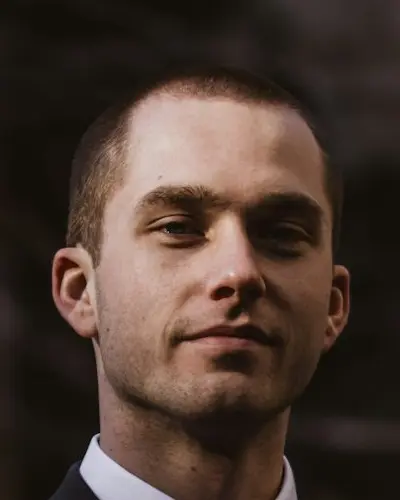
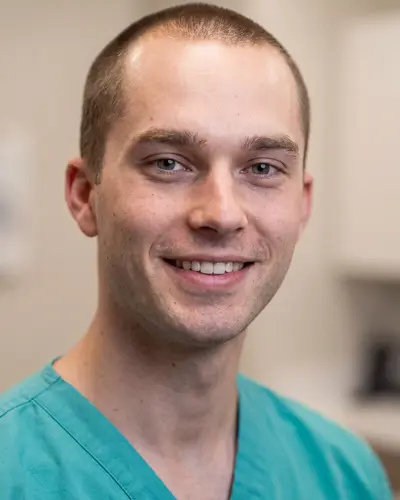
    A photo outdoors at night in a dark suit, with teal scrubs and a modern clinic picked.

    Original photo: a young man in a dark suit outdoors at nightBefore
    AI example made from that photo: the same man in teal scrubs in a bright roomExample

    Result: A headshot in teal scrubs in a bright room. Same face.

    Blue backdrop photo, navy scrubs headshot

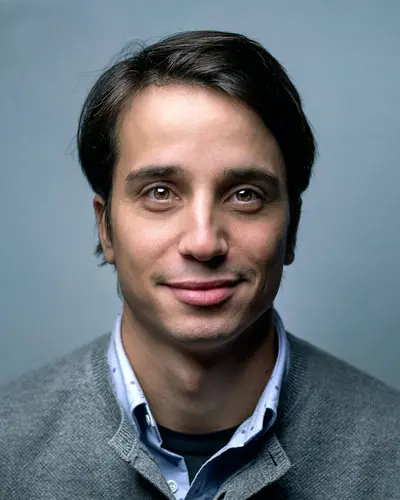
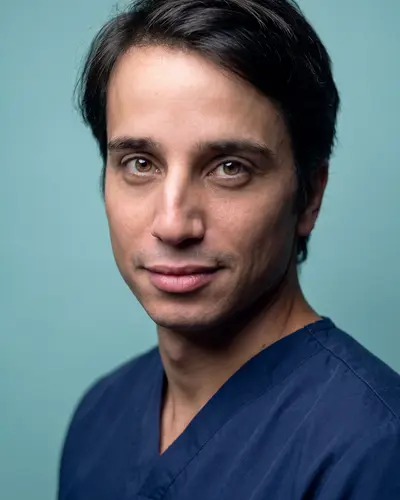
    A photo in a gray sweater on a blue background, with navy scrubs and a teal background picked.

    Original photo: a man in a gray sweater on a blue backgroundBefore
    AI example made from that photo: the same man in navy scrubs on a teal backgroundExample

    Result: A headshot in navy scrubs on a teal background. Same face.

    Black and white photo, navy scrubs in a clinic

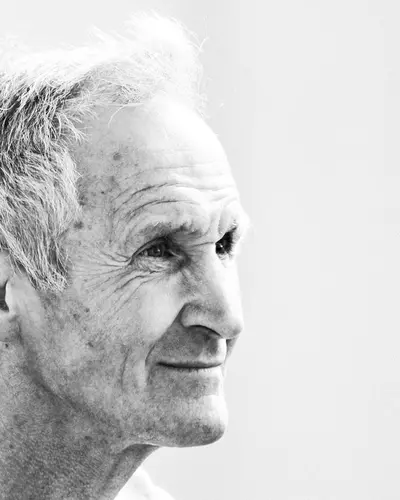
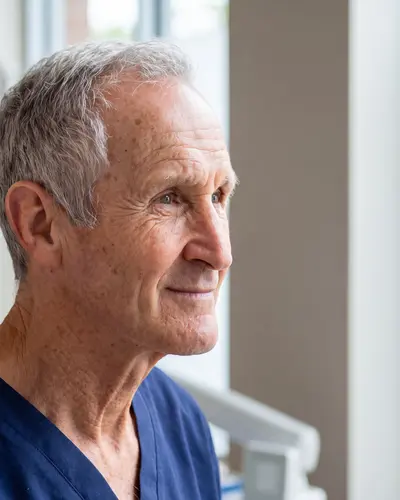
    A black and white side photo, with navy scrubs and a modern clinic picked.

    Original photo: an older man seen from the side, black and white photoBefore
    AI example made from that photo: the same man in navy scrubs in a bright clinicExample

    Result: A color headshot in navy scrubs in a bright clinic. Same face.

    The application photo problem

    It is easy to submit a photo that is cropped, dark, or less polished than the rest of your application.

    A clean, current photo avoids that.

    • Professional framing and natural expression
    • The same look on every portal
    • Download in 4K and crop to the size you need

    How it works

    Upload one selfie, make up to 4 photos in about 2 minutes, and pick the one that looks most natural.

    Keep one main photo and one spare for portals that need a different crop.

    • One selfie to start
    • Up to 4 photos per run
    • Try one free photo first

    What you gain

    You can use one consistent image through the full cycle instead of scrambling for last-minute photo fixes.

    That saves time and keeps your look the same from start to finish.

    • A photo for secondaries that ask for one
    • The same look for interview profiles
    • Simple refresh when needed

    Frequently Asked Questions

    Clear answers before you get started.

    Create Your Medical School Headshot

    Make one clean photo you can use for secondaries and interview profiles.