



Headshotsly

    Headshot App: Take a Selfie, Get a Professional Photo

    Works in your phone's browser. Take a selfie with your camera, pick an outfit and background, and download in 4K.

    Example

    Indoor selfie, real estate headshot

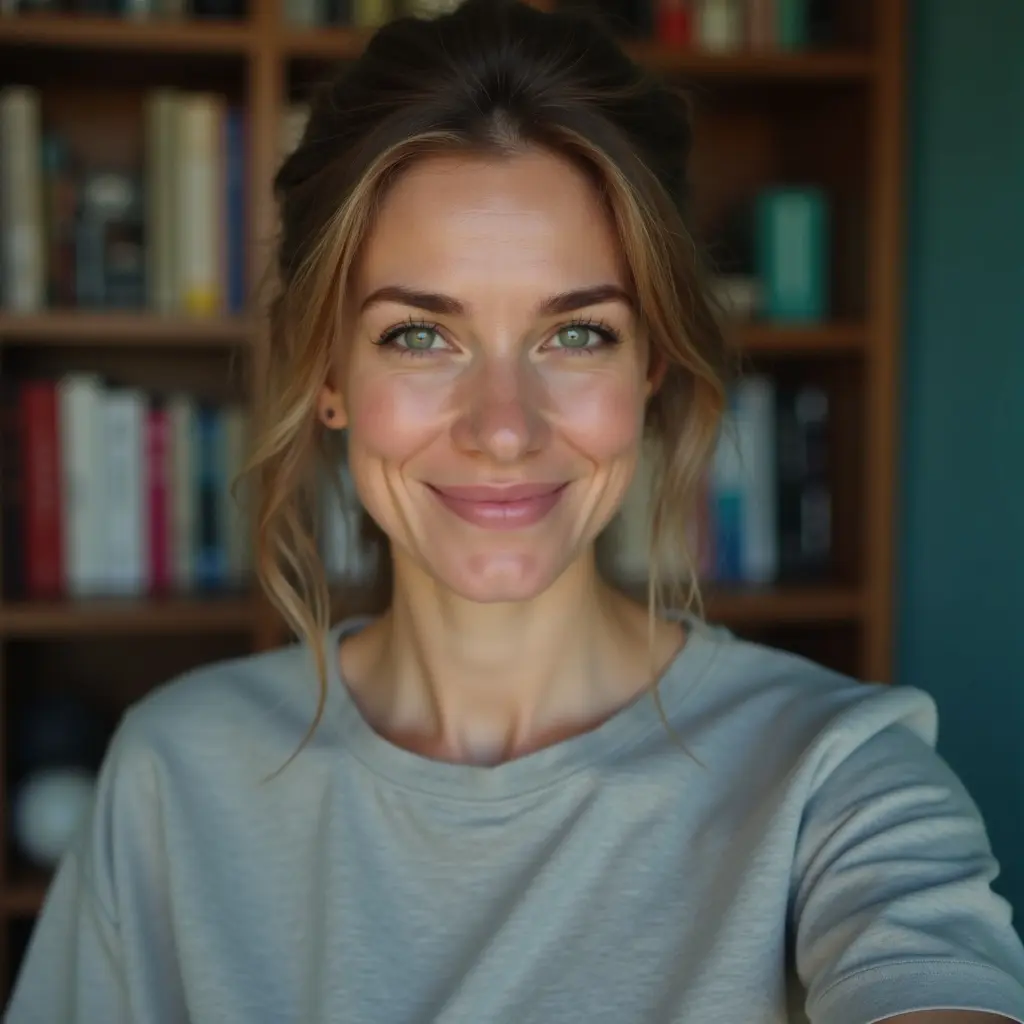
    A selfie at home in a gray t-shirt, with a blazer and a bright home picked.

    Result: An agent headshot in a charcoal blazer. Same face.

    Original selfie: a woman in a gray t-shirt in front of a bookshelfBefore
    AI example made from that selfie: the same woman in a charcoal blazer in a bright homeExample

    Headshotsly works like a headshot app, but you don't install anything. Open the site on your phone, take a selfie with the camera, and get a professional photo in about 2 minutes.

    It works the same on a laptop, if you'd rather upload a photo you already have.

    5 photos in 4K cost $0.99, one time, with no subscription. You can try one free watermarked photo first.

    More Before/After Examples

    Examples made with Headshotsly. Each example was made from the photo next to it.

    Indoor photo, golden light outdoors

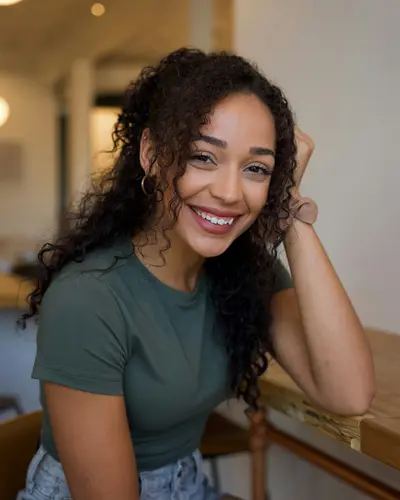
    A photo indoors in a green t-shirt, with a casual tee and golden evening light picked.

    Original photo: a young woman with curly hair in a green t-shirtBefore
    AI example made from that photo: the same woman in a tan t-shirt outdoors in golden lightExample

    Result: A relaxed photo outdoors in warm light. Same face and curls.

    Black suit photo, relaxed cafe photo

    A photo in a black suit on a dark background, with a beige t-shirt and a cafe picked.

    Original photo: a blonde woman in a black suitBefore
    AI example made from that photo: the same woman in a beige t-shirt in a cafeExample

    Result: A relaxed photo in a cafe. Same face and hair.

    Black and white photo, suit and tie headshot

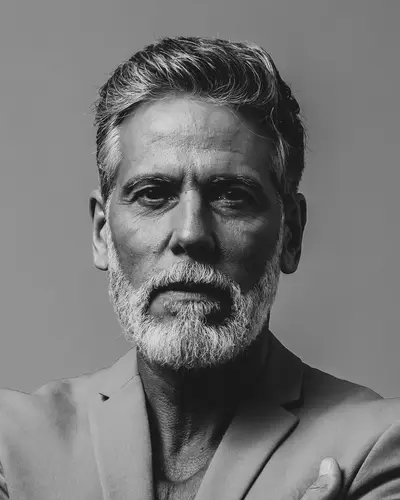
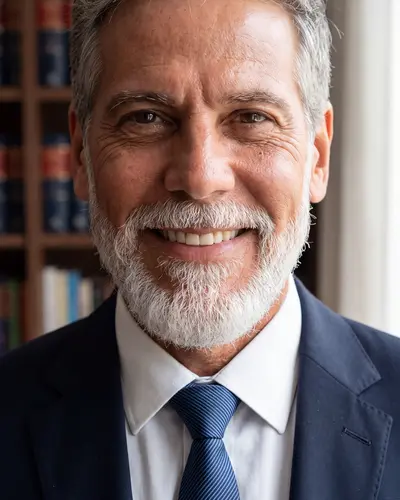
    A black and white photo of a man with a gray beard, with a dark suit, tie and law library picked.

    Original photo: an older man with a gray beard, black and white photoBefore
    AI example made from that photo: the same man in a navy suit and tie in front of law booksExample

    Result: A color headshot in a navy suit and tie in front of law books. Same face and beard.

    How it works on your phone

    Open Headshotsly in your phone's browser and sign in. Tap to take a selfie with your camera, or pick one from your photos. Choose an outfit and background, and your photo is ready to download in about 2 minutes.

    • Nothing to download or install
    • Take the selfie right in the browser
    • Download the finished photo to your phone
    • Pick up on a laptop later: it's the same account

    Taking a good selfie for the app

    The better the selfie, the more the result looks like you. Thirty seconds of setup makes a real difference.

    • Face a window or step outside into shade
    • Hold the phone at eye level, arm's length away
    • Look at the lens, not the screen
    • Take off sunglasses and hats
    • Add a couple more selfies from slightly different angles if you can

    What the app can make

    Pick what the photo is for and the outfits and backgrounds change to fit: LinkedIn and office work, law, real estate, healthcare, or natural dating photos. You can also make photos of you at work, like at a desk or in a meeting.

    Edit and crop without leaving your phone

    Change the outfit or background of a finished photo, adjust the expression, or crop it to a square for LinkedIn and a tall shape for a website, all from the same screen.

    Frequently Asked Questions

    Clear answers before you get started.

    Take your selfie now

    Open it on your phone, take a selfie, and see a free preview in a couple of minutes.